Two Factor Authentication
What is Two Factor Authentication?
Two-Factor Authentication (2FA) is an extra layer of security designed to ensure that only you can access your crypto accounts or wallets, even if someone else knows your password.
It works by requiring two forms of verification before granting access:
- Something you know: your password or PIN.
- Something you have: such as a code from your phone, an authenticator app, or a hardware device.
By combining both forms of security together, 2FA drastically reduces the risk of unauthorised access. Even if a hacker obtains your password, they can’t log in without your second verification factor.
Both in and out of the crypto world, 2FA is one of the simplest yet most effective security tools available, and should be enabled on every exchange, wallet, and account that supports it.
How Does Two Factor Authentication Work?
When you enable 2FA, you link your account to an authenticator method. Each time you log in or make a transaction, the system will ask for a temporary code from that method. Usually this code is on a timer, resetting every 30 seconds continuously.
Here’s how it typically works:
- You enter your username and password.
- The platform asks for a 2FA code.
- You open your authenticator app or receive a text message containing a 6-digit code.
- You enter the code within the given time window (usually 30 seconds).
Once verified, access is granted.
Even if an attacker has your login credentials, they can’t access your account without the live 2FA code.
Types of Two-Factor Authentication
Not all 2FA methods offer equal protection. Here’s a breakdown of the most common types:
App-Based 2FA
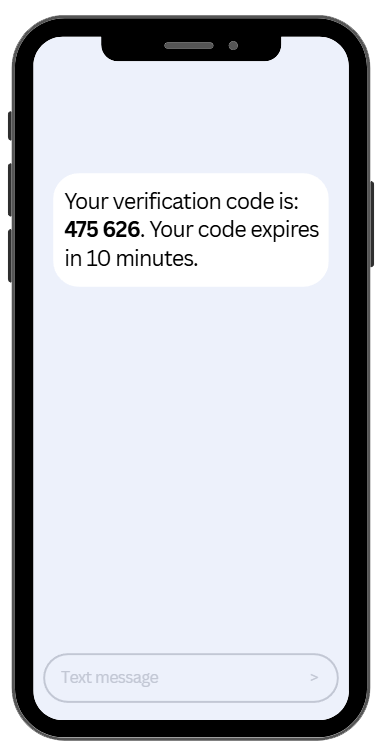
SMS-Based 2FA
Sends a one-time code via text message.
Easy to use but less secure, as SIM-swapping attacks can intercept messages.
Best for: Basic protection on low-risk accounts.
Hardware-Based 2FA
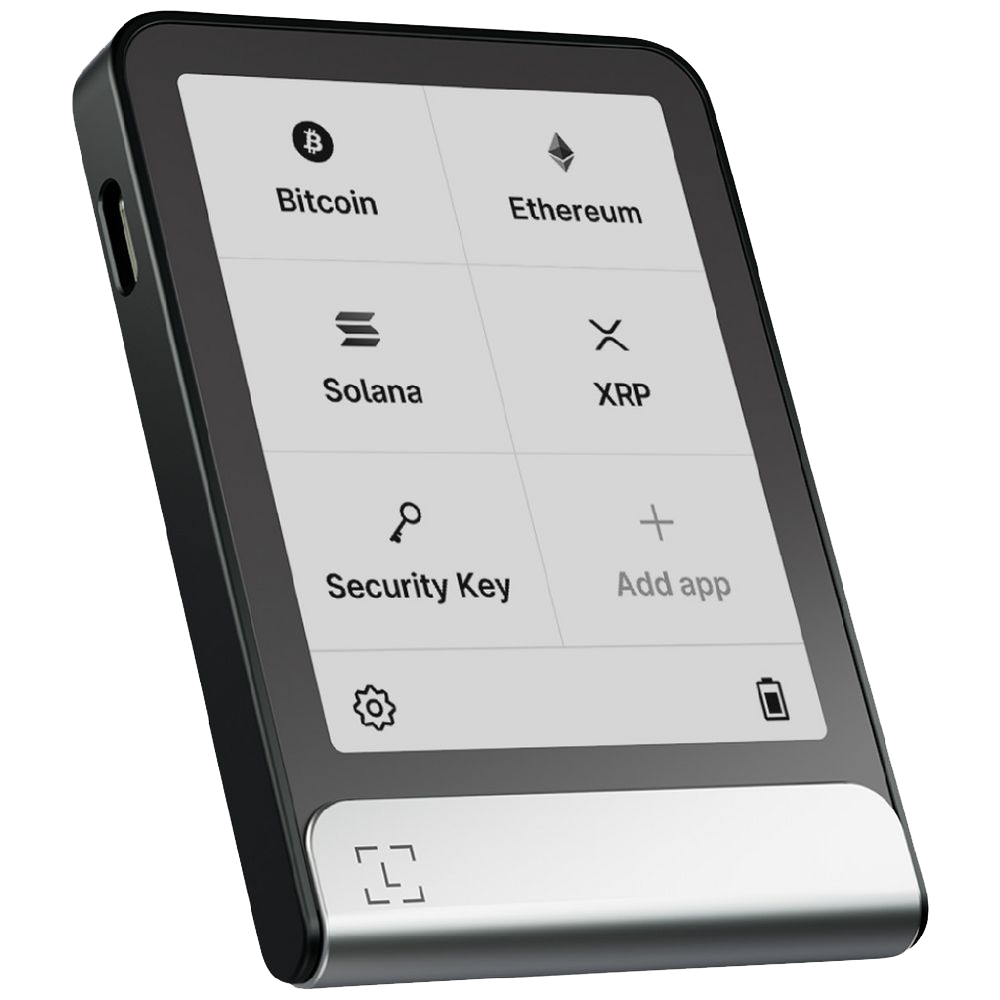
Uses a physical device you plug in or tap, such as a hardware security key. The key signs a login challenge from the site itself, so there is no code to read, type, or hand to anyone.
- Nothing is displayed on a screen, so nothing can be relayed to an attacker.
- The key checks the website address before it responds, which is what makes it resistant to phishing rather than just inconvenient for attackers.
Offers the highest level of protection since it requires physical possession. Best for: exchange accounts, your primary email, and any account that controls money.
Worth separating two things people often merge: a hardware security key protects a login. A hardware wallet such as a Ledger or Trezor protects private keys. They are different devices solving different problems, and owning one does not cover the other.
Passkeys and Security Keys: The Strongest Option Available
App-based codes are a large upgrade on SMS. Security keys and passkeys are a larger one again, and most major exchanges now support them.
A passkey is a cryptographic credential stored on your phone, laptop, or a physical key. When you sign in, the site sends a challenge and your device signs it. No shared secret travels across the internet, and there is no six-digit number for you to misplace, screenshot, or read out to someone on the phone.
The part that matters most is quieter than it sounds: a passkey is bound to the exact website address it was created for. Put it on a convincing fake login page and it simply will not respond. It is not that the user is expected to notice the misspelt domain. The credential checks, every single time, and it does not get tired at 11pm.
That is the difference between a factor that is hard to steal and a factor that cannot be handed over by mistake. If an exchange, your email provider, or your password manager offers passkeys or security key support, take it.
How to Set Up Two Factor Authentication
This is the typical approach to setting up two factor authentication:
- Go to your account’s security settings
Look for “Enable 2FA” or “Two-Factor Authentication.”
- Select your preferred method
Choose an authenticator app or hardware device whenever possible.
- Scan the QR code
Use your authenticator app to scan the QR code displayed.
- Save your backup codes
These let you regain access if your device is lost. Store them securely offline.
- Confirm setup
Enter the generated code to verify and complete the process.
Once enabled, you’ll need to provide a 2FA code each time you log in, withdraw, or change account settings. Whilst some may find this quickly becomes a nuisance, most people are willing to take the extra steps to ensure security and peace of mind.
Where to Turn 2FA On First
Most people enable 2FA on their exchange, feel finished, and stop. That leaves the most valuable account on the list unprotected.
Work in this order.
1. Your email. Email is the master key to everything else. Almost every platform you use will send a password reset there, and a good number will let an attacker with mailbox access work around other controls entirely. An attacker who owns your inbox does not need to break your exchange password; they can simply ask the exchange to reset it. Secure the email account you use for crypto before anything else, and use a separate address for it.
2. Your password manager. It holds every other credential you own, which makes it the second-highest-value target. Protect it with a hardware key if the option exists.
3. Your exchange accounts. Then pair 2FA with a withdrawal whitelist, so that even a fully compromised account can only send funds to addresses you approved in advance. Whitelisting closes the gap that 2FA alone leaves open.
4. Your mobile carrier account and cloud storage. Both are used as recovery paths, which makes both worth locking down.
Ranking accounts by what an attacker gains from each one, rather than by how much money sits in them, is what makes the difference. The mailbox holding no crypto is often the most dangerous account you own.
Benefits of Using Two Factor Authentication
✅ Stronger security: Protects your account even if passwords are compromised.
✅ Raises the bar on phishing: A stolen password alone will not get an attacker in.
✅ Protects withdrawals: Many exchanges require 2FA before approving transactions.
✅ Peace of mind: Adds another wall between your assets and attackers.
2FA Protects Your Account, Not Your Wallet
This is the single most common misunderstanding about 2FA in crypto, and it costs people real money.
Two-factor authentication protects a login. It works on things that have accounts: exchanges, email, brokerages, your password manager. Those platforms hold your assets on your behalf, so controlling the account controls the assets, and 2FA guards the door.
A self-custody wallet has no account. There is no username, no server, and no login to protect. Whoever holds the seed phrase controls the funds, full stop. You can enable every 2FA option on every exchange you use and it will do nothing at all for a wallet whose recovery phrase has been photographed, typed into a website, or stored in cloud notes.
The two layers need different tools. Accounts need strong unique passwords and a second factor. Private keys need offline storage and a backup you have actually tested. Confusing the two leaves a gap that looks, from the inside, exactly like being secure.
It also cuts the other way, and this is the part people skip. Because exchange accounts can be recovered by support, and self-custody cannot, the honest read is that 2FA lowers your risk on the exchange while leaving the platform risk itself untouched. A well-defended account on a failing exchange is still exposed. Not your keys, not your crypto remains true no matter how good your login hygiene is.
SIM Swapping and Why SMS Codes Are the Weakest Option
SMS-based 2FA has a specific failure mode worth understanding properly, because it does not involve your password, your phone, or any mistake on your part.
In a SIM-swap attack, the attacker targets your mobile carrier rather than you. Using details gathered from data breaches and social media, they contact the telco posing as you and request that your number be ported to a SIM they control. Once that goes through, every SMS code the platform sends is delivered to them. Your handset simply loses service, which is usually the first sign anything is wrong.
Australian carriers have tightened porting checks in recent years, but the attack persists because it targets a human process rather than a technical one.
Practical steps that help:
- Move off SMS 2FA wherever a platform offers an authenticator app, a passkey, or a security key.
- Ask your carrier to add a port-out PIN or account password, and to flag the account so changes require in-person or additional verification.
- Keep your phone number off public profiles and away from accounts linked to crypto activity.
- Treat sudden unexplained loss of mobile service as an emergency, not an outage. Get to your accounts from another device immediately.
SMS is better than no second factor. It is the weakest one on offer, and on an account holding real money it should be the fallback rather than the plan.
Real-Time Phishing: Why a Correct Code Can Still Be Stolen
The 30-second timer creates a sense that codes are safe because they expire quickly. They are not, and the reason is worth knowing.
In a real-time phishing attack, the fake site is a live relay. You land on a convincing copy of an exchange login and enter your password. The attacker’s system immediately submits it to the genuine exchange. The exchange asks for a 2FA code, so the fake site asks you for one. You read a valid code off your authenticator app and type it in. It is forwarded to the real site within seconds, well inside the window, and the attacker is logged in as you.
Nothing was cracked here. The code was genuine, the timer was irrelevant, and the app worked exactly as designed. The attack succeeded because a code is a piece of information a person can be persuaded to read out, and any factor made of readable information can be relayed.
Two defences actually address this. A security key or passkey will not sign a challenge from the wrong domain, so the relay breaks at the first step. And a password manager will not autofill on a domain it does not recognise, which is a useful early warning that the page is not what it claims to be.
The broader habit matters just as much: reach login pages through your own bookmarks rather than through links in emails, messages, or search ads, and be sceptical of apps and browser extensions that ask you to reauthenticate for no clear reason.
Backing Up 2FA Before You Need To
Most people who get locked out of 2FA were never attacked. They changed phones, dropped one, or reset a device without thinking about the authenticator app sitting on it.
Set this up while you still have access, because none of it can be done afterwards.
Save the backup codes for every account. These are issued once, at setup, and are the only self-service route back into an account when the second factor is gone. Storing them in your password manager is appropriate, since they only unlock an account you still hold the password for. A printed copy kept somewhere physically secure is a sensible second copy.
Decide on authenticator cloud sync deliberately. Most authenticator apps now offer encrypted cloud backup, which makes a lost phone a minor inconvenience instead of a weekend of support tickets. It also means your second factor is only as strong as the account it syncs through. If you turn it on, that account needs a hardware key on it.
Enrol a second factor, not just a second copy. Where a platform allows more than one method, register two: a security key and an authenticator app, or two security keys with one kept offsite. Redundancy here follows the same logic as a wallet backup. One copy in one place is not a backup.
And the point people forget: the recovery path is part of your security, not separate from it. Backup codes that anyone can find are simply a second, weaker password on the same account.
What To Do If You Lose Two Factor Authentication Access
If you lose access to your 2FA device or authenticator app:
- Use your backup codes to log in. Most authenticator apps should give you backup codes in case of an event like this.
- Re-enable 2FA on your new device as soon as access is restored.
Remember to never share backup codes or 2FA details with anyone.. Especially people claiming to be “support.”
Two factor authentication is one of… if not the strongest & most effective first lines of defence in crypto security. Although it doesn’t replace a strong password, it helps to significantly reduce your risk of being hacked.
It’s highly recommended that if you haven’t yet activated 2FA on your chosen exchange, wallet, or platform… you should consider doing so today.
Frequently Asked Questions
What is two-factor authentication (2FA)?
Two-factor authentication (2FA) is a security method that requires two separate forms of verification before granting access to an account. Typically this means combining something you know (a password) with something you have (a one-time code from an app or hardware device). It significantly reduces the risk of unauthorised account access.
Why is 2FA important for crypto accounts?
Crypto transactions are irreversible, making account security critical. If an attacker gains access to your exchange or wallet account without 2FA, they can drain your funds instantly with no recourse. Enabling 2FA means a stolen password alone is not enough to access your account, adding a critical layer of protection.
What are the different types of 2FA?
The main types are SMS-based 2FA (a code sent via text message), authenticator app 2FA (time-based codes generated by apps like Google Authenticator or Authy), hardware security keys (physical devices like YubiKey), and email-based 2FA. Authenticator apps and hardware keys are the most secure options for crypto users.
Is SMS 2FA safe for crypto?
SMS 2FA is better than no 2FA, but it is the weakest option for crypto accounts. SMS codes can be intercepted through SIM-swapping attacks, where an attacker convinces your mobile carrier to transfer your number to their SIM card. For crypto accounts, always use an authenticator app or hardware key instead of SMS.
Which authenticator app should I use for crypto?
Google Authenticator and Authy are the most widely used options. Authy has the advantage of encrypted cloud backup, making it easier to recover if you lose your phone. Google Authenticator stores codes locally only, which is more secure but requires careful backup of recovery codes at setup. Both are significantly safer than SMS 2FA.
What happens if I lose access to my 2FA device?
You will need to use the backup recovery codes provided when you set up 2FA. These should be stored securely offline. If you did not save recovery codes and lose your 2FA device, you will need to go through the exchange's account recovery process, which can take days and requires identity verification. Always save backup codes at setup.
Should I enable 2FA on all my crypto accounts?
Yes. Enable 2FA on every exchange account, wallet app, and associated email address linked to your crypto holdings. Your email is often the recovery key for other accounts, so securing it is just as important. Use an authenticator app rather than SMS for all crypto-related accounts.
Can 2FA be bypassed by hackers?
Sophisticated attacks like real-time phishing (where you enter your code on a fake site that immediately relays it to the real site) can bypass 2FA. Hardware security keys that use FIDO2 or WebAuthn are resistant to these attacks because they verify the website domain before signing. For maximum security, a hardware key is the gold standard.