Coldcard Wallet Setup Guide
This is your complete Coldcard Wallet setup guide – From Pre Unboxing Checks to Full Activation.
Shepley Capital is in no way affiliated with Coldcard. Be sure to select the cryptocurrency wallet that is right for you.
1. Before You Unbox Your Coldcard
Coldcard is a Bitcoin only, security first hardware wallet. Because of this, you must start with strict authenticity checks.
Buy only from trusted sellers
- Purchase directly from Coinkite or an official reseller.
- Never buy from marketplace sellers or used devices.
Inspect the packaging before cutting it open
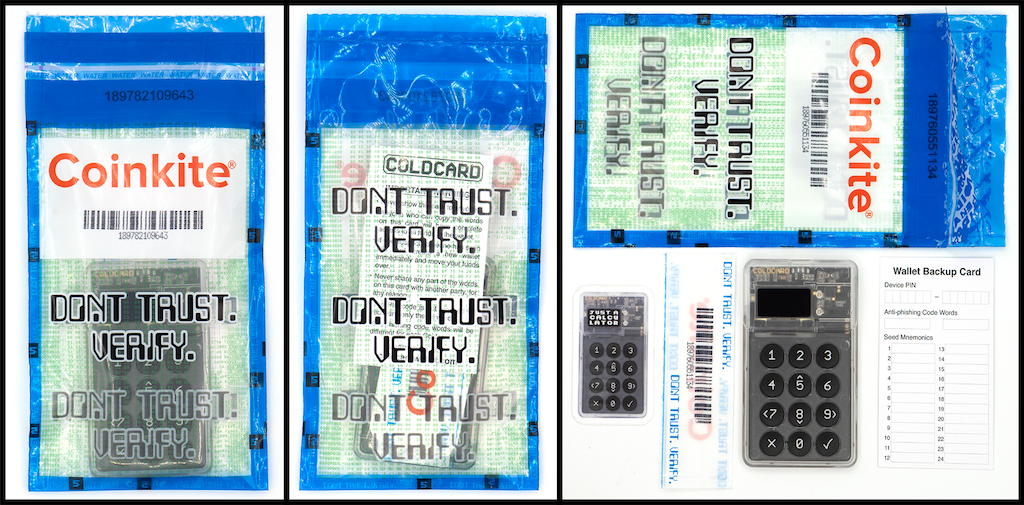
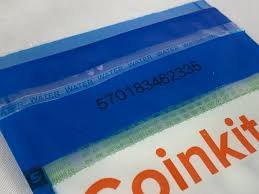
Coldcard ships in a tamper evident plastic bag with a red security sticker.
Check:
- The bag should be sealed and heat welded.
- The red security sticker should not be scratched, peeled, or re glued.
- No fingerprints, no dust inside the packaging, no visible tampering.
If anything looks off, contact Coinkite first.
Look for the unique Coldcard bag number
Each Coldcard bag has a printed, unique number.
You’ll verify this later on the device, which confirms it’s genuine.
Do not open the bag until you visually confirm it is untouched.
2. Unboxing Your Coldcard
Inside the sealed bag you should find:
- Coldcard device
- USB C cable
- Wallet backup card
- Coinkite stickers
- Quick start slip
Coldcard is always shipped without a pre generated seed.
If you see a printed seed phrase or a cardstock with words filled out, stop using the device immediately.
3. Powering On Your Coldcard
Coldcard can be powered in two ways:
- USB only (plugged directly to a computer)
- Air gapped with a power source only, like a portable battery bank
For the safest method, many users power it with a USB power bank during setup to avoid connecting it to a computer.
Turn it on and wait for the welcome screen.
4. Verify the Bag Number
Coldcard has a brilliant anti tamper system.
When you turn the device on for the first time:
- Coldcard will display the bag number on the screen.
- Compare it with the number printed on the plastic bag.
If it matches, your device is genuine.
If not, do not proceed.
5. Create a New PIN
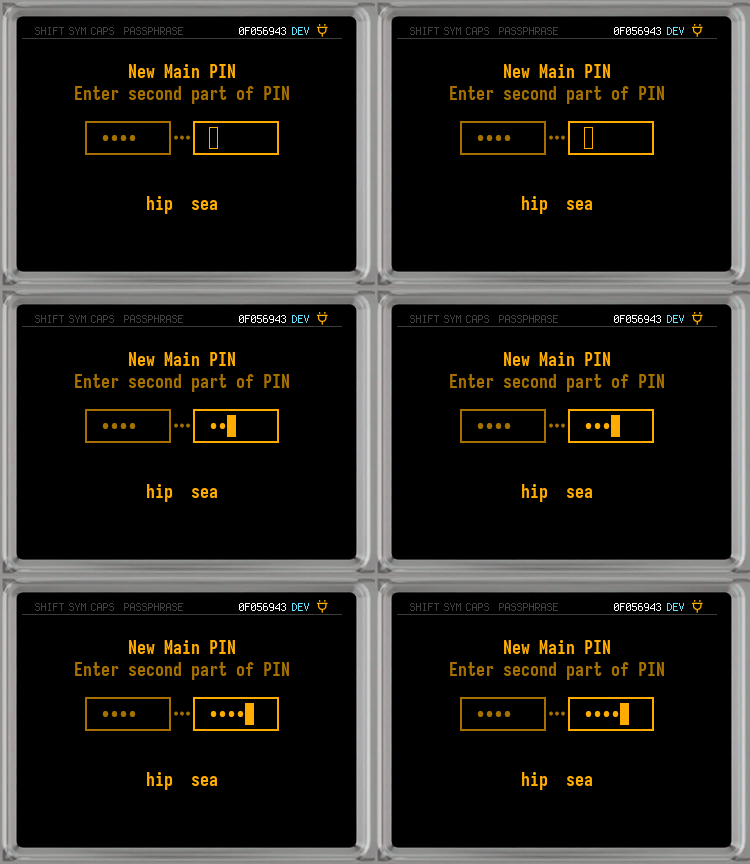
Coldcard uses a two part PIN system.
This protects you from keyloggers and shoulder surfing.
PIN structure
- Part 1 is the first group of digits
- Part 2 is the second group of digits
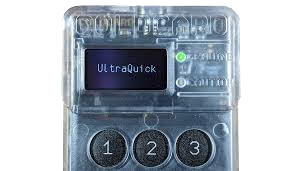
- After entering Part 1, Coldcard shows a unique anti phishing word
- If that word changes unexpectedly, someone tampered with your device
Choose a strong PIN and write it down temporarily until memorised. Do not store it digitally.
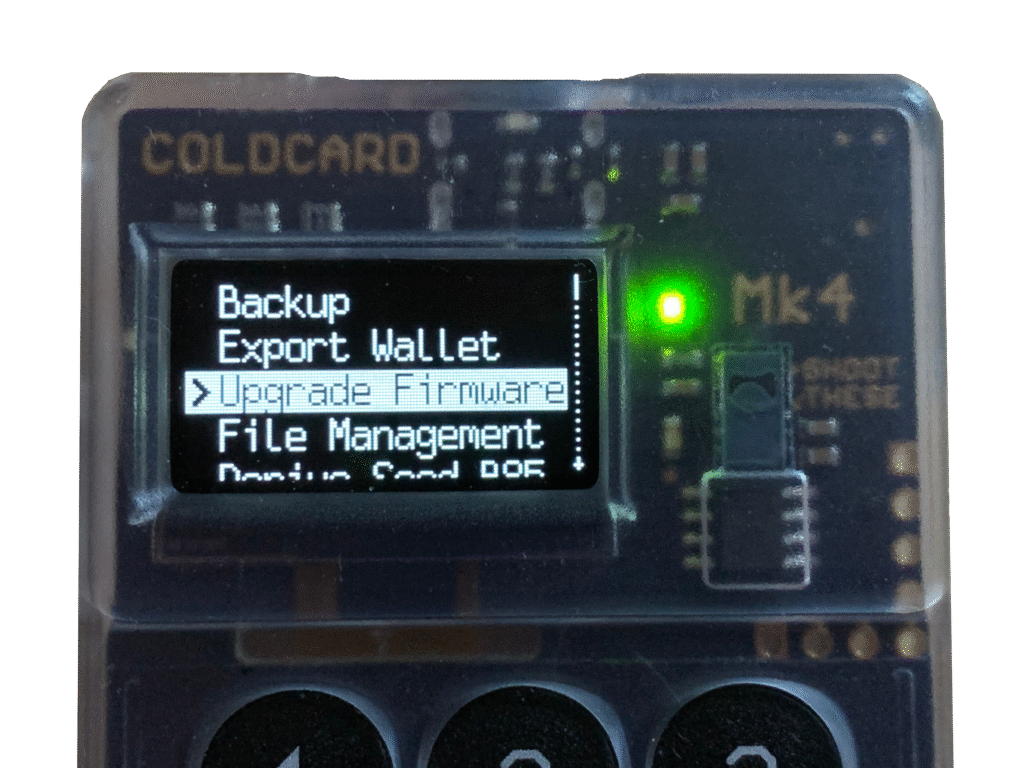
6. Update Firmware
Go to the official Coldcard website and download the latest firmware file.
Two methods:
- Plug Coldcard into your computer and let it load directly
- Or transfer the firmware via microSD card
Follow the on screen instructions and let it update fully.
7. Create Your New Wallet and Seed Phrase
This is the core of your Coldcard setup.
Choose New Wallet on the screen.
Coldcard will generate:
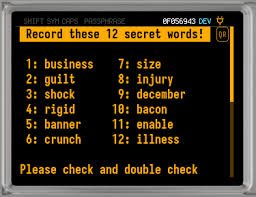
- A 24 word BIP39 seed phrase
- The option to add a passphrase (advanced users)
Write your 24 words down on paper.
Use the wallet backup card or your own secure medium.
Rules:
- Never take photos
- Never type the seed into your phone or computer
- Never upload it anywhere
- Never share it
- Coldcard will never show it again, so write carefully
Confirm the words when asked. (This will be the only time you are ever asked to confirm your seed phrase. Never under any circumstance give your seed phrase to anyone).
8. (Optional) Add a Passphrase
A passphrase adds a second layer to your seed. This is an advanced feature recommended only for users who fully understand how it works.
A passphrase:
- Creates an entirely separate wallet
- Must be remembered forever
- Cannot be recovered if forgotten
If unsure, skip this step.
(If maximum plus+ security is isn’t your top priority, feel free to skip this step. Think of this step as adding security for your security).
9. Prepare Your MicroSD Card
Coldcard is designed to be used air gapped, meaning it never has to touch the internet.
You’ll need:
- A microSD card
- A way to move files between your computer and the card
You’ll use the SD card for:
- Signing transactions offline
- Loading firmware updates
- Backing up advanced wallet files
Format it in FAT32 if required.
10. Connect to a Software Wallet
Coldcard does not have a standalone desktop app.
Instead, it integrates with popular Bitcoin desktop wallets such as:
- Sparrow Wallet
- Specter Desktop
- Electrum
- Nunchuk
Sparrow is usually recommended for beginners.
Steps using Sparrow Wallet
- Install Sparrow on your computer.
- Go to File, then New Wallet.
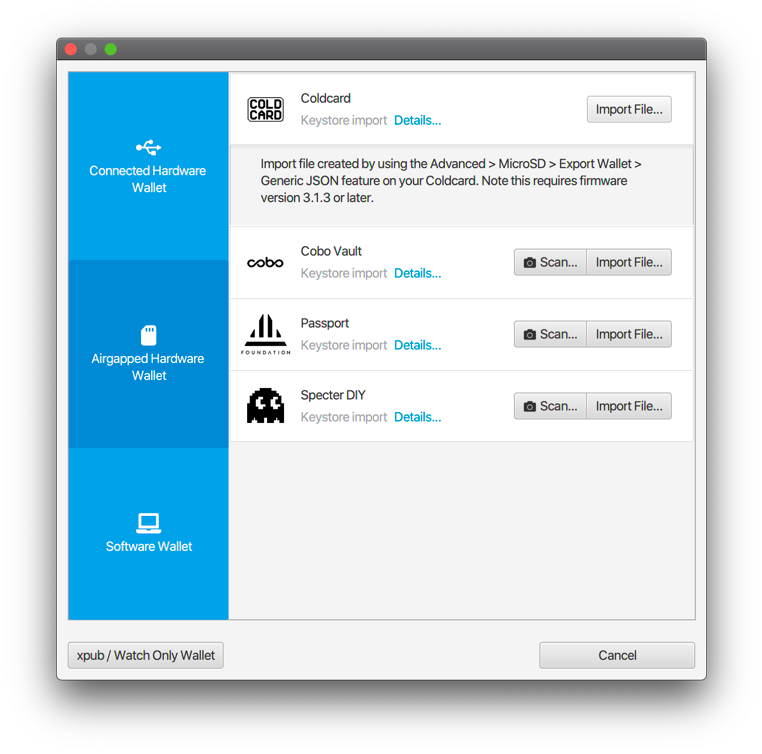
- Choose Air gapped hardware wallet.
- Insert your microSD into Coldcard, export the XPUB, and load it into Sparrow.
- Sparrow will build your wallet view, allowing you to receive and track balances.
Your Coldcard remains offline the entire time.
11. Receiving Bitcoin
- Open Sparrow.
- Click Receive.
- Always verify the receiving address on your Coldcard screen, not just the computer.
- Send a small test amount first.
Once it confirms, your Coldcard wallet is ready for use.
12. Sending Bitcoin with Air Gapped Security
Coldcard’s most powerful feature is offline signing.
Step by step
- In Sparrow, create a transaction and choose “Save PSBT to file”.
- Save it to your microSD card.
- Insert the microSD into Coldcard.
- Choose Ready To Sign.
- Sign the transaction on the Coldcard.
- Insert the card back into your computer.
- Load the signed transaction into Sparrow.
- Broadcast it to the network.
The private keys never touched your computer or the internet.
13. Long Term Security Best Practices
To protect your Bitcoin for the long run:
- Keep your Coldcard offline when not in use
- Store your seed phrase somewhere secure and offline
- Consider a metal backup
- Do not write your passphrase anywhere public
- Keep your PIN private
- Regularly update to the newest firmware
- Backup your wallet descriptor file if using Sparrow or Specter
Coldcard is built for decades of secure storage if managed well.
If your Coldcard is lost or damaged.. don’t worry, your Bitcoin is still safe.
- Buy a new Coldcard or any BIP39 compatible wallet
- Restore using your 24 word recovery seed
- If you added a passphrase, you must also know it
If the seed is safe, your Bitcoin is safe.
Frequently Asked Questions
What is the Coldcard wallet?
Coldcard is a Bitcoin-only hardware wallet made by Coinkite, designed for advanced users who prioritise maximum security. It features air-gapped operation via microSD card, a secure element chip, anti-phishing PIN system, and open-source firmware.
How do I set up a Coldcard wallet?
Power on the Coldcard, verify the bag seal number, set your PIN with an anti-phishing prefix word, generate a new wallet to receive a 24-word seed phrase, write it down carefully, verify it on the device, and store it securely offline.
What makes Coldcard different from other hardware wallets?
Coldcard is air-gapped, meaning it can operate entirely without a USB connection using microSD cards to transfer signed transactions. It supports advanced features like multisig, BIP-39 passphrase, duress PINs, and brick-me PINs that destroy the device if triggered.
Is Coldcard only for Bitcoin?
Yes. Coldcard is a Bitcoin-only device by design. This simplicity reduces the attack surface and codebase complexity, which is a deliberate security choice. Users who need multi-asset support should consider other hardware wallets.
What is the anti-phishing PIN on Coldcard?
When setting up a Coldcard, you choose a PIN split into two parts. After entering the first part, the device displays two secret words unique to your device. These words verify you are interacting with your real device and not a phishing replica.
Is Coldcard suitable for beginners?
Coldcard is designed for advanced Bitcoin users who want maximum security and are comfortable with technical setup. Beginners may find devices like Ledger or Trezor more approachable while still achieving strong cold storage security.
What should I do if I lose my Coldcard device?
With your seed phrase stored securely, you can restore your wallet to any new Coldcard or compatible Bitcoin wallet. Purchase replacement devices only from the official Coinkite website to ensure device integrity.
Where should I buy a Coldcard wallet?
Purchase only from the official Coinkite website. Coldcard devices ship in tamper-evident sealed bags with a unique bag number you can verify before setup. Never buy from third-party resellers or second-hand markets.